EasyKOT download: pehle account, phir app, phir sign in.
Desktop App aur Android app ke andar account nahi banta. Account browser mein banta hai, app.easykot.com par, 1 minute mein. Uske baad app download kare aur usi email aur password se sign in kare.
Account pehle se hai?Seedha downloads par jaaye ↓Owner dashboard khole →
- Step 1
Free account banaye
app.easykot.com · browser mein · install nahi chahiyeForm ka naam hai "Start your free trial". Aapka naam, restaurant ka naam, email, mobile number aur password. Phir terms wala box tick kare, bas.
Free account banaye · ₹0 aaj3 mahine free · card nahi maangta
Yeh step app ke andar nahi hota. Desktop App aur Android app sirf sign in karte hain. Account yahin, browser mein, banta hai.
"Start my free trial" dabate hi owner dashboard "Get started" par khulta hai. Wahin menu add kare aur apna PIN chune.
- Step 2
Counter ke liye app download kare
Laptop ya desktop par Desktop App, Windows ya Mac. Laptop nahi hai? Android phone par EasyKOT Captain.
Latest release- Windows 10/11Latest release ki list aa rahi hai….exe download kare
- Mac: Intel aur Apple SiliconLatest release ki list aa rahi hai….dmg download kare
- Android: counter aur captain appGoogle Play · EasyKOT CaptainNaye phone par Google Play se install kare. Purana website APK pehle se installed hai toh Device → Updates se update kare; pending orders wale phone par app uninstall na kare.Google Play par khole
Files latest public release manifest se aati hain. List load na ho toh connection check karke page reload kare. Version aur file details download ke paas di hain.
Counter ke liye Desktop App recommended hai. Aapke account ke liye web access available ho toh supported browser mein poora register web POS mein khole. Pehla setup aur download online kare; uske baad yeh browser offline bhi billing kar sakta hai. Bill aur KOT normal print dialog se khulte hain. Printer detect karne, automatic printing aur cash drawer ke liye Desktop App use kare.Mac par EasyKOT kholte hi "is not open anymore" aaye, toh yeh guide dekhe.
Yahi download buttons owner dashboard ke "Get started" mein bhi hain, "Get the EasyKOT app" step par.
- Step 3
Usi email aur password se sign in kare
Desktop App ka pehla screen, Owner sign-in dabane ke baadConnect this Desktop AppI have a setup codeOwner sign-inOwner email · Password"Owner sign-in" tab chune. Step 1 wala email aur password daale. Wahi do cheezein, aur kuch nahi.
Ya "I have a setup code": owner dashboard ke "Get started" mein "Connect your Desktop App" step se code copy karke yahan paste kare.
"Owner sign-in" se connect kiya toh app seedha register par khulta hai, aapke naam se. Setup code se connect kiya toh app PIN maangta hai: wahi jo aapne "Get started" mein "Choose your PIN" par rakha tha.
Android phone par: EasyKOT Captain khole, "Run the counter" dabaye, aur yahi email aur password daale.
Setup ke baad internet band ho toh bhi billing chalta hai. Owner dashboard aur menu sync ke liye internet chahiye.
Sign-in screen par atak gaye? WhatsApp kare, hum saath mein karwa denge.
Aapke device par kya chahiye?
- Windows 10/11 · macOS 13.3+. Laptop ya desktop chahiye. 1366×768 screen par bhi Desktop App chalta hai.
- Compatible ESC/POS thermal printer. 58 mm ya 80 mm. Connection aapke device aur printer par depend karta hai. Settings se test print kare; printer setup guide dekhe.
Counter par laptop nahi hai? Android phone aur compatible printer se billing dekhe → Phone setup step by step Ek phone par roz ka kaam dekhe
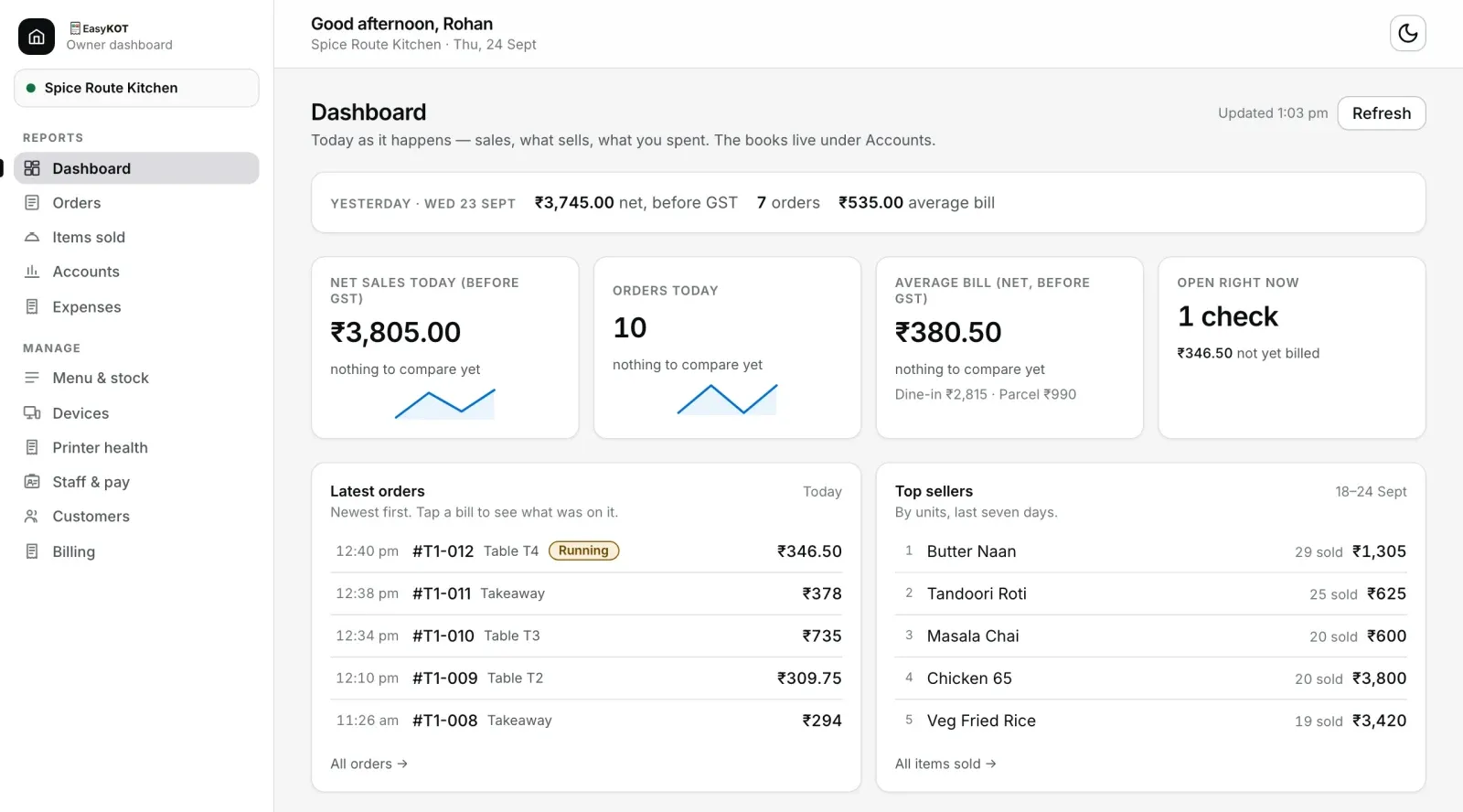
Menu, PIN, staff, reports: sab owner dashboard mein.
Desktop App counter pe billing ke liye hai. Baaki setup owner dashboard mein hota hai: app.easykot.com, kisi bhi browser mein, laptop ya phone pe. Same account, same password.
"Get started" is order mein poochta hai:
- Add your menu
- Choose your PIN
- Get the EasyKOT app
- Connect your Desktop App
- Ring your first sale
Har screen ka screenshot: setup guide dekhe
- Get started · Menu & stock. PDF, photo, Excel ya CSV upload kare. Dishes aur prices check karke save kare. Sample menu se bhi shuru kar sakte hain. Portions aur add-ons yahin badle.
- Devices. Doosre laptop ya phone ke liye Add device se setup code le. Purana device hatane ke liye Revoke chune.
- Staff & pay. Har staff ka apna PIN hota hai. PIN bhoolne par Reset PIN chune.
- Orders · Reports. Orders mein bills dekhe. Reports mein Sales & collections, Menu performance, Money & costs aur Close & exceptions khole. Fixed tables Excel ya CSV mein download kare.
- Dashboard · Accounts · Expenses. Aaj ki sale ek nazar mein. CA ke liye sales, GST, P&L aur expenses.
- Printer health. Kaunsa printer chal raha hai aur kaunsa nahi, bina counter pe gaye.
Dashboard mein save kiya menu internet aur sync connected hone par Desktop App mein aa jaata hai.