Orders, KOTs and billing on an Android phone.
Take orders at the table, send KOTs to the kitchen, make bills and close the day's cash from one phone. You can start without a laptop, using an Android phone and a compatible thermal printer.
₹299 + GST a month after the trial · Bluetooth or Wi-Fi thermal printer · works offline · cancel anytime
Watch your first KOT and bill on Android.
Read the video transcript
This is the recorded narration. Screen labels and steps reflect the video as published.
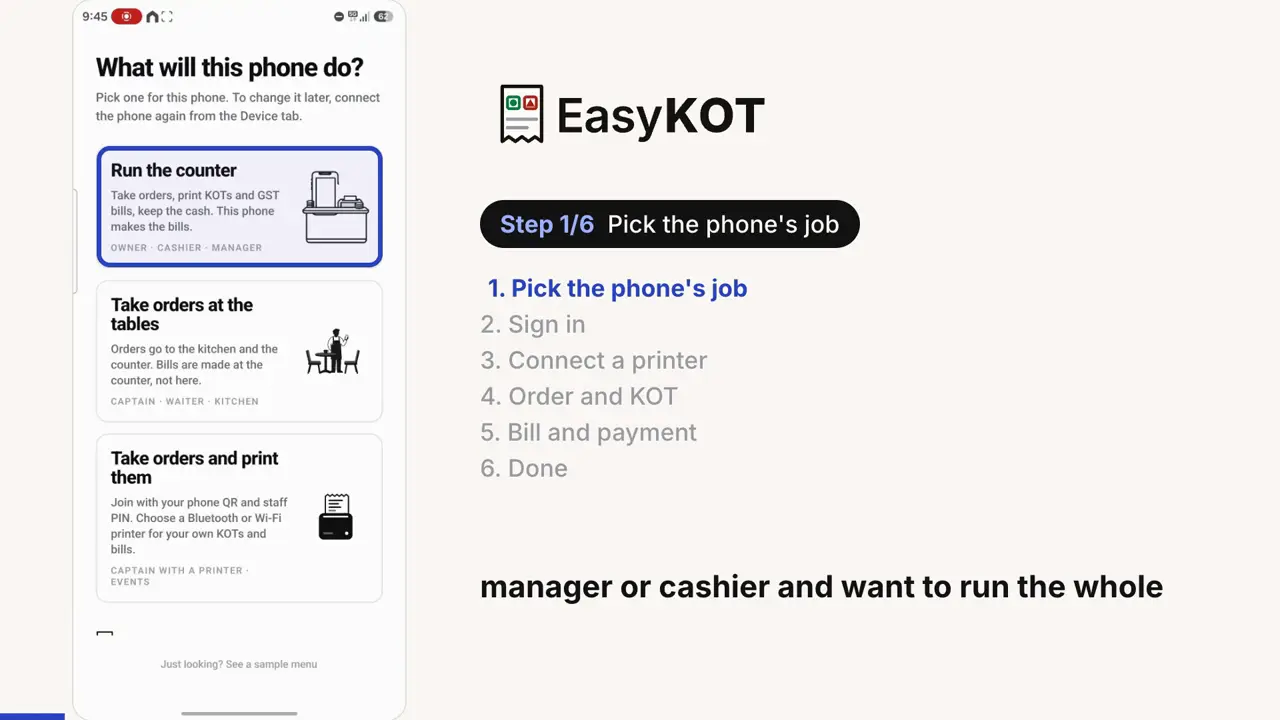
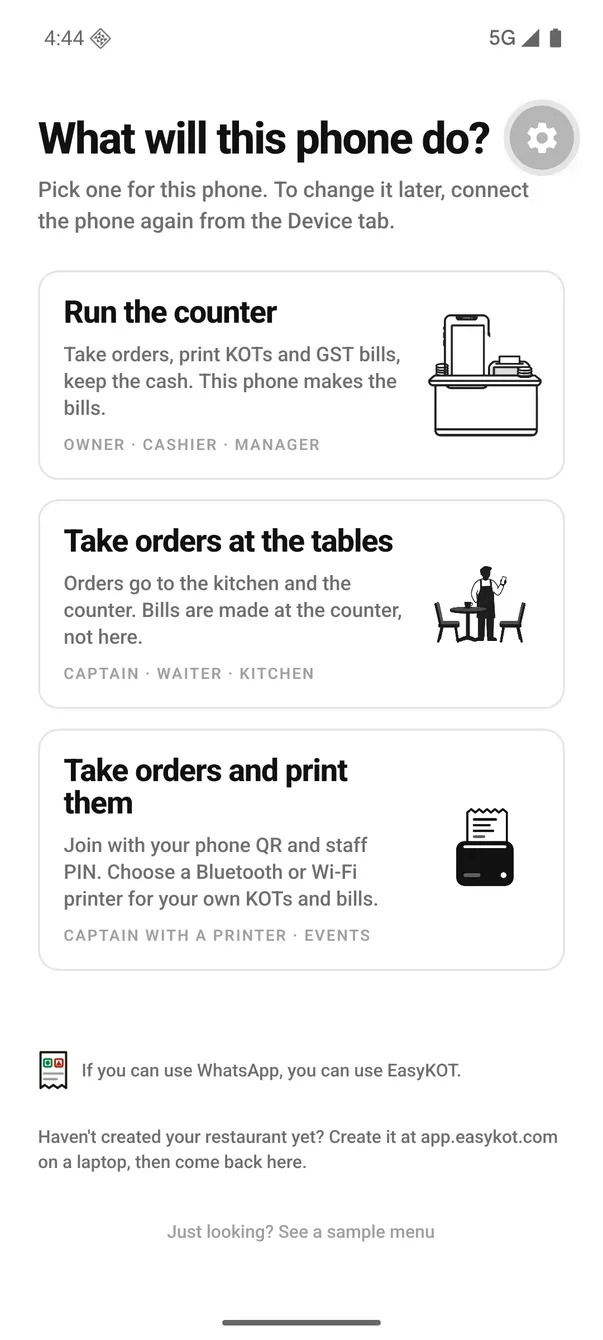
EasyKOT on Android. In this video, we will follow the complete process on the phone. After installing the app, this is the first screen you see. There are three options.
The first option is Run the counter. Choose this if you are the owner, manager or cashier and want to run the whole point of sale on your Android phone. You can take orders on the phone. The setup will let you connect a printer.
Once it is connected, you can print kitchen tickets and bills directly from this phone. The second option is take orders at the tables. Suppose your register app is running on a laptop at the restaurant's billing counter. Your waiters or captains walk to the tables and take orders on their phones.
Suppose orders and kitchen tickets go to the billing counter. The printer connected to the counter handles the printing. The captain does not need a separate printer in this setup. Orders are taken at the tables while the main printer stays at the billing counter.
This is the second option. The third option is for a different setup. For example, at an event, function or wedding, there may be several food counters. Carrying a laptop to every counter may not be convenient.
Several waiters or captains may be moving around and taking orders. With this option, you can give each person their own printer. They take orders on their phone and print their own kitchen tickets and bills on their own printer. With the second option, printing went to one main printer at the billing counter.
With this third option, each person uses their own printer. That is how you can have several people, each with a separate printer. For this walkthrough, we will use the first option. Tap Run the counter.
Use the same email and password that you created when signing up in the admin panel. Enter those credentials here, then tap sign in. If you have forgotten your password, use Forgot your password? to reset it.
This recording uses a test account to demonstrate the process. The phone is now connected and the menu has loaded. The next screen takes us to printer setup. We are using a Seznik thermal printer here.
First, open the phone's Bluetooth settings and pair the printer. This phone already has it paired. If yours is not paired yet, select the printer and complete the pairing request. The list shows the paired devices.
Once the printer is paired, tap done and return to the app. Now tap Add printer. There are several ways to connect a printer. Along with Bluetooth, you can connect a network printer by its IP address, whether it is on Wi-Fi or LAN.
We are using Bluetooth in this walkthrough. A Bluetooth printer must first be paired in Android settings. You can then choose it from the list of paired devices in the app. Select the Seznik printer.
Choose everything for both kitchen tickets and bills. Then select the paper size. This printer uses 58 mm paper. Save the printer settings.
Now tap Test print. A test slip should come out of the printer. Watch the actual printer footage alongside the screen. The test slip has printed.
This confirms the connection and the print on paper. Next, choose print from this phone. We want this phone to print directly rather than send the printing to a separate billing counter. The order screen now opens.
Running orders appear here. There are none yet in this recording. Use Choose table to select a table. You can see tables such as T1 and T2.
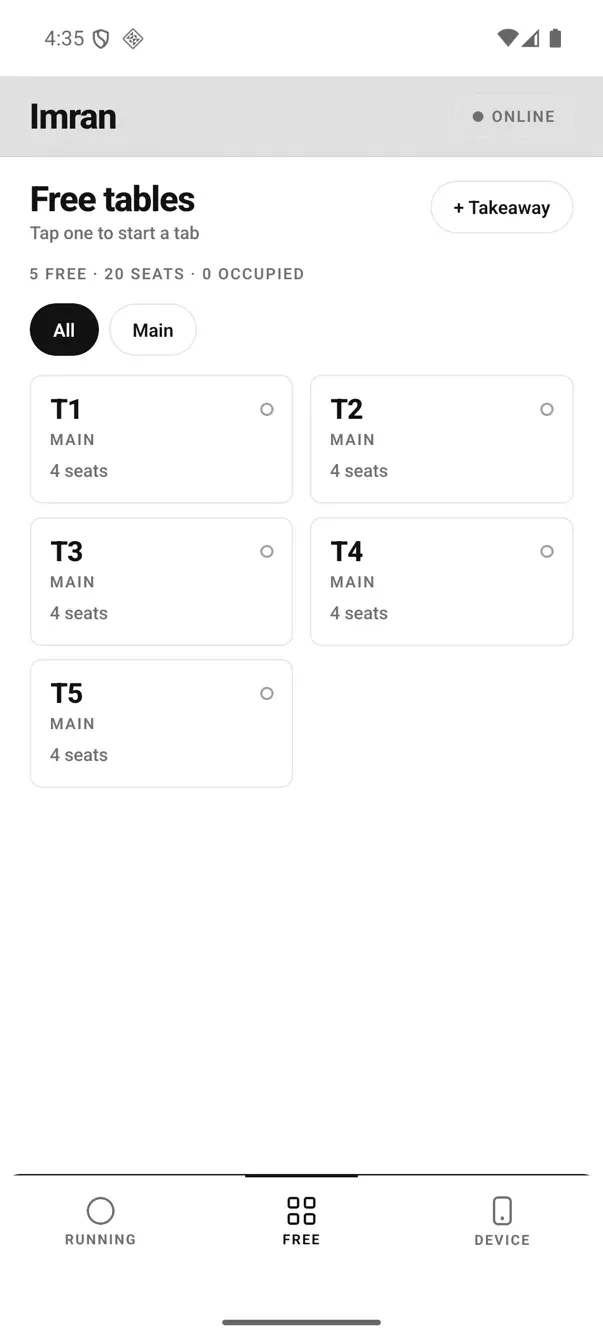
Tables are set up through the admin panel and register app. If your setup uses takeaway instead of tables, you can choose the takeaway option. Tap takeaway to open the full menu. Add the dishes you want, where half and full options are available.
Choose the portion you need. After adding the dishes, open Review order. The top shows that this is a takeaway order. You can use Assign table if you want to put it on a table.
Check the dishes and quantities here. Add a note if needed such as a request about spice. Now tap Send KOT, the order is sent for the kitchen. In this setup, the kitchen ticket prints on the printer connected to this phone.
Watch the actual ticket come out. If the customer wants something else later, tap + Add items. Here we add butter garlic naan and return to Review order. The first four dishes are already under Sent to kitchen.
The new dish is under to send. Tap Send KOT again. This time only the new dish prints. The four items sent earlier are not printed again, so the kitchen does not receive a duplicate order.
When the order is complete, open settle. There are cash and UPI options for recording payment. Collect the payment from the customer first. You can also enter the customer's name and phone number if you want those details on the bill.
Here we enter the name and then the phone number. These customer details are optional. We choose UPI to record the payment. The bill now comes out of the printer.
It includes the complete order, the customer details and the total. You can configure GST and other billing settings in the admin panel. Those settings will be covered in a separate video. That is the complete process for taking orders, printing kitchen tickets and making the final bill with EasyKOT on your Android phone.
Follow Run the counter from owner sign-in through Bluetooth printer setup, an order, its KOT and the printed bill. The video is in English.
Run daily counter billing from this phone.
- Order at the table, print in the kitchen. The menu has veg/non-veg marks, Half/Full portions and notes such as “less spicy”. Tap Send KOT. The second round sends only the new items.
- Bluetooth or Wi-Fi thermal printer. Pair Bluetooth in phone settings, or enter the Wi-Fi printer's IP. Choose 58 mm or 80 mm and run Test print. If printing fails, the sale remains saved; the queue retries for five minutes, then waits for Print.
- GST bills from the phone. Bills use your configured details, with invoice numbers, CGST/SGST breakdowns and round-off. Set the phone up as a counter phone (step 2) to give it a continuous invoice series.
- Cash box on the phone. Float is the cash in the drawer at opening. A paid-out records cash taken out and its reason. At close, enter the actual count; the app shows expected cash and the Variance, the amount short or over. UPI stays separate.
- Billing works offline. Orders save to the phone's local database, and a local Bluetooth or Wi-Fi printer can work. Check the separate delivery status to confirm whether a KOT reached the kitchen.
Android phones print to Bluetooth and Wi-Fi printers. The iPhone build is not in the App Store yet. Use the EasyKOT Desktop App for USB printers.
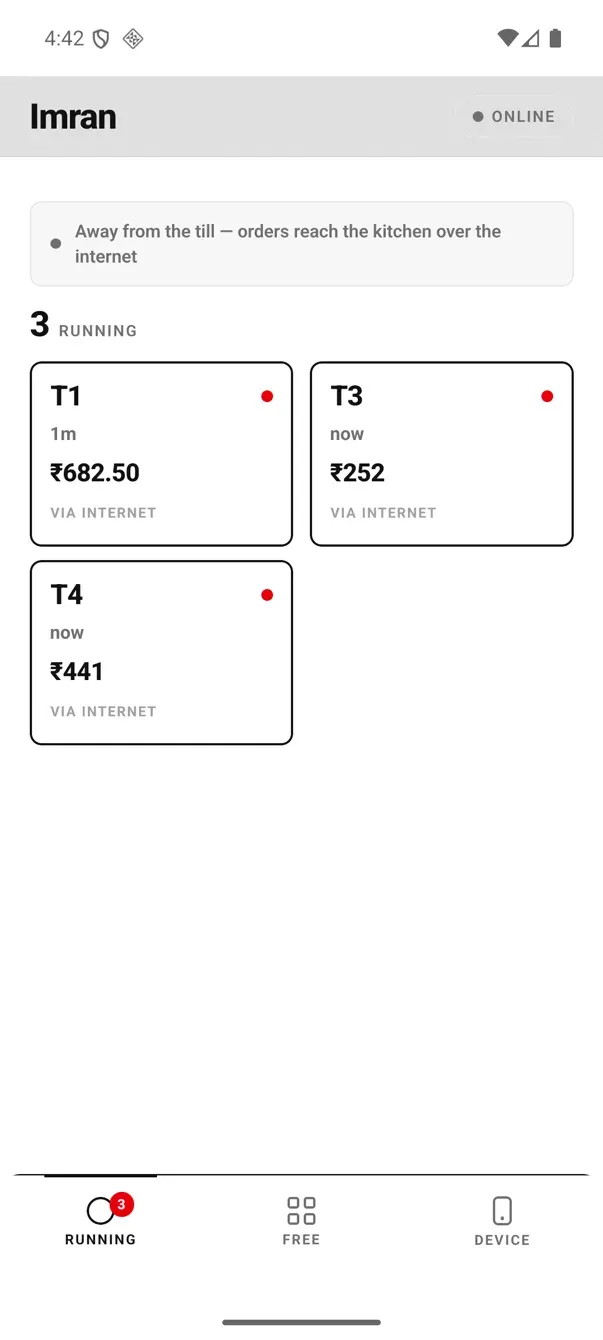
One table, start to finish, on the phone.
These are real Android app screens: opening a table, choosing items, sending the KOT and settling the bill in cash. Nothing here is a mockup.
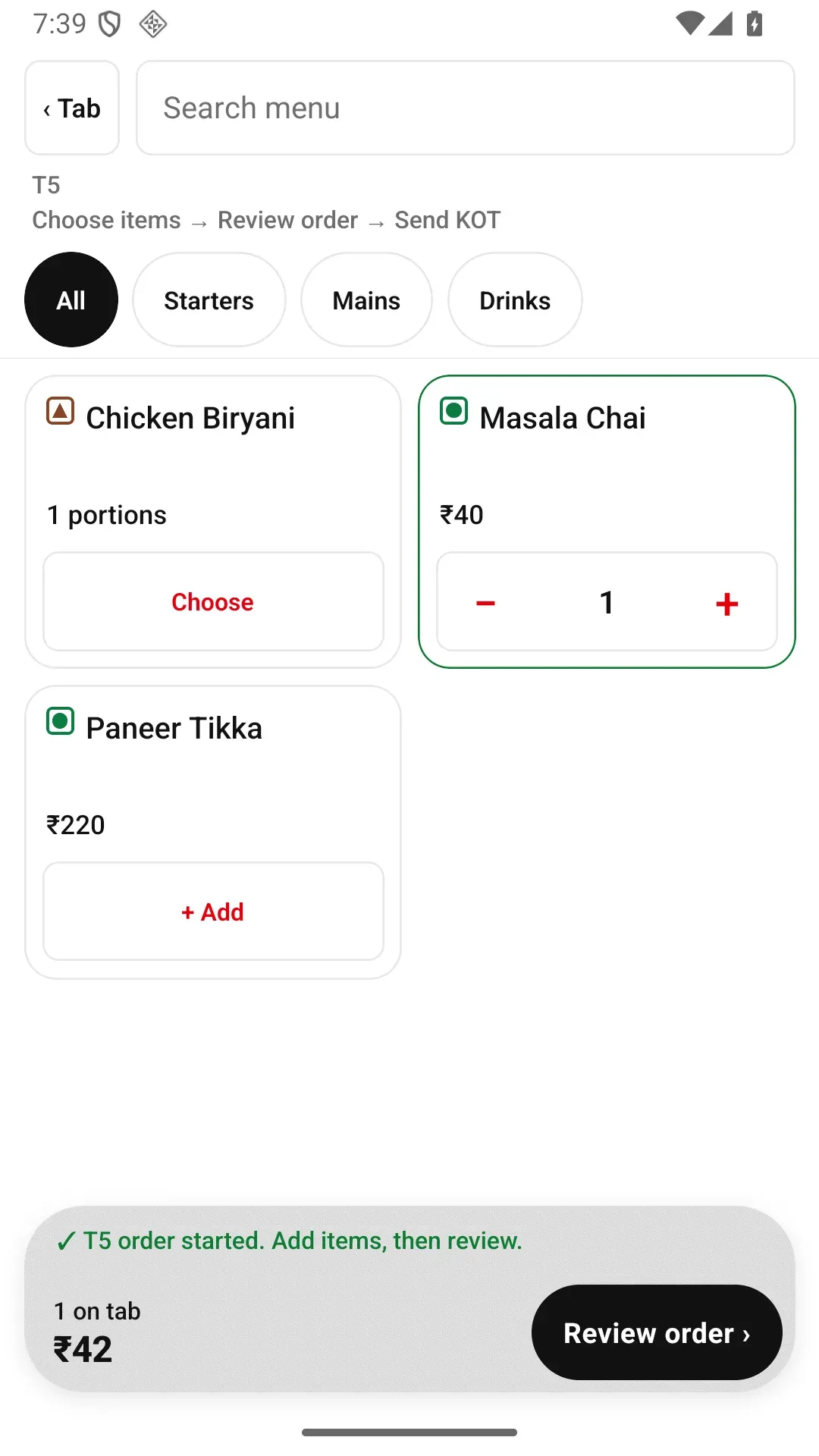
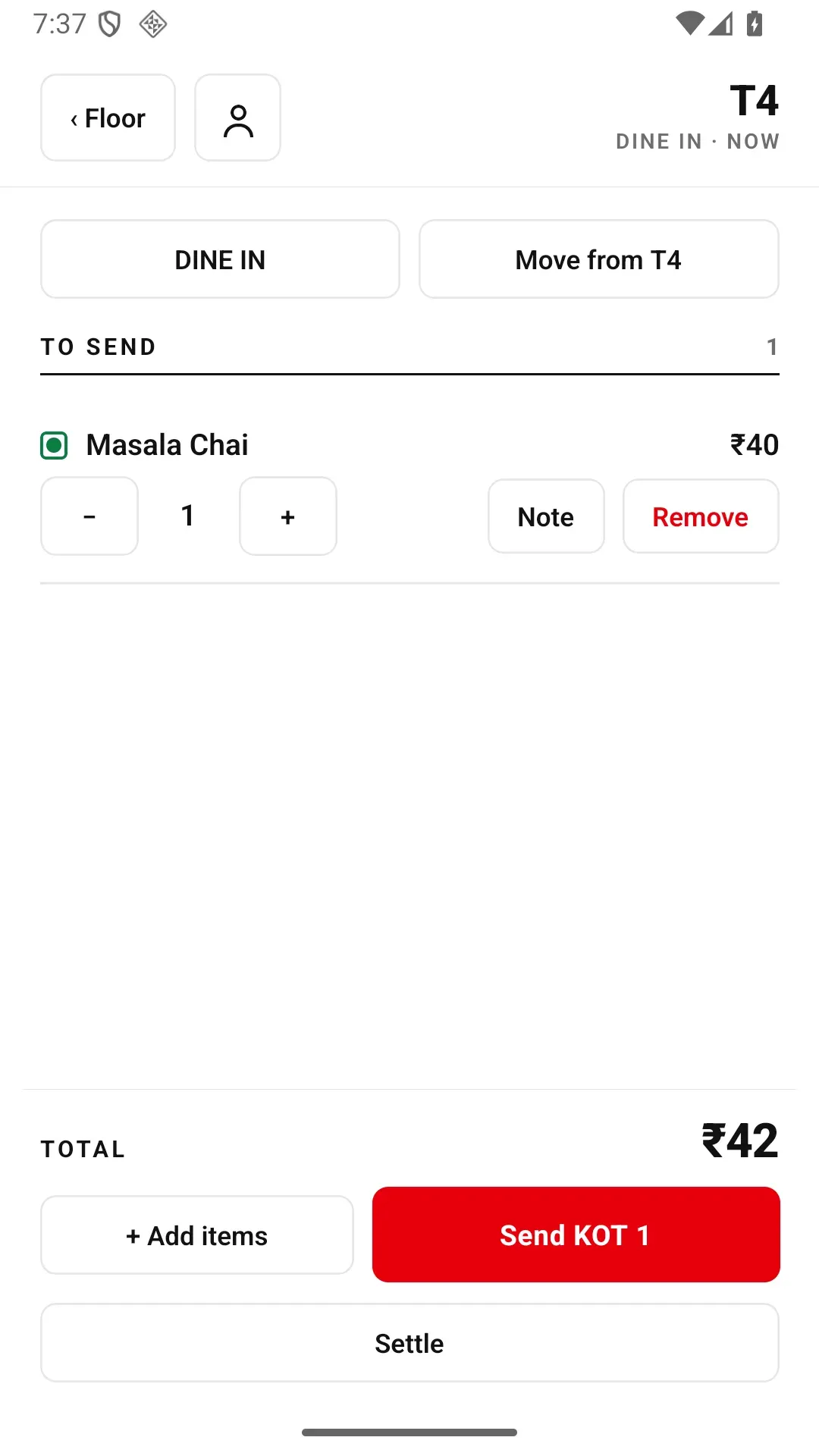
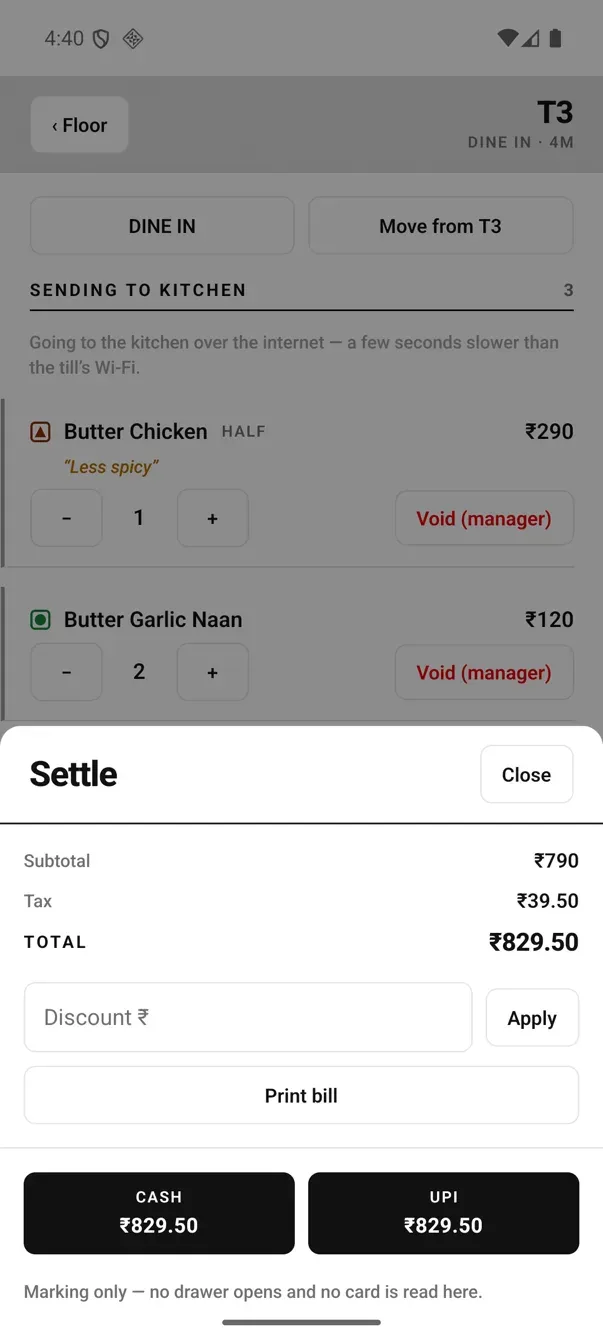
A fired quantity can go down, but not up. If three waters were sent and one comes back, reduce the quantity to two. To add more, + creates a new line for the next KOT. Removing the final fired item uses Remove: the phone asks once, does not require a manager PIN, and records the reason against the signed-in staff member. Cash paid-outs, discounts and whole-check write-offs keep their separate approval rules.
For a fired item, Remove warns that it was already sent to the kitchen. Saving the KOT on the phone does not prove delivery: check Sent to kitchen or Not sent to kitchen below.
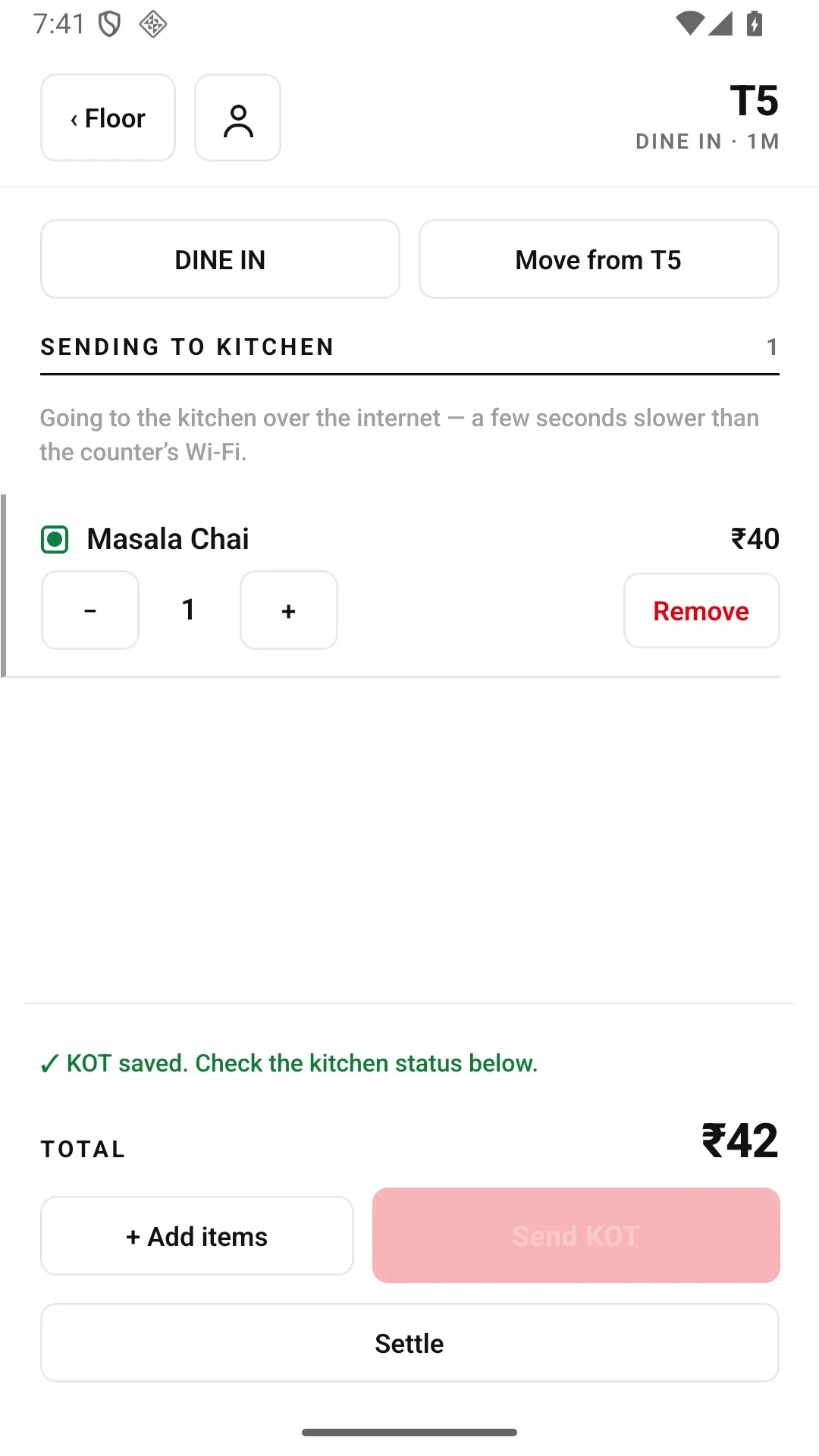
After Send KOT, the round stays saved on the phone while kitchen delivery remains a separate status.
What do you need to get started?
- An Android 8 or newer phone. Use your phone at the counter. Waiters' Android phones join the same order flow through the captain app, with no per-phone charge.
- A compatible Bluetooth or Wi-Fi thermal printer. Use a 58 mm or 80 mm ESC/POS printer. Test print is the final compatibility check: put it on the live counter only after the slip prints correctly.
- An EasyKOT account. Free for three months with no card. Create the restaurant at app.easykot.com, then connect the phone.
First KOT from the phone — four steps.
Create the restaurant
Sign up at app.easykot.com. The trial starts at ₹0 with no card. Menu, staff and reports live in the owner dashboard.
Connect the app
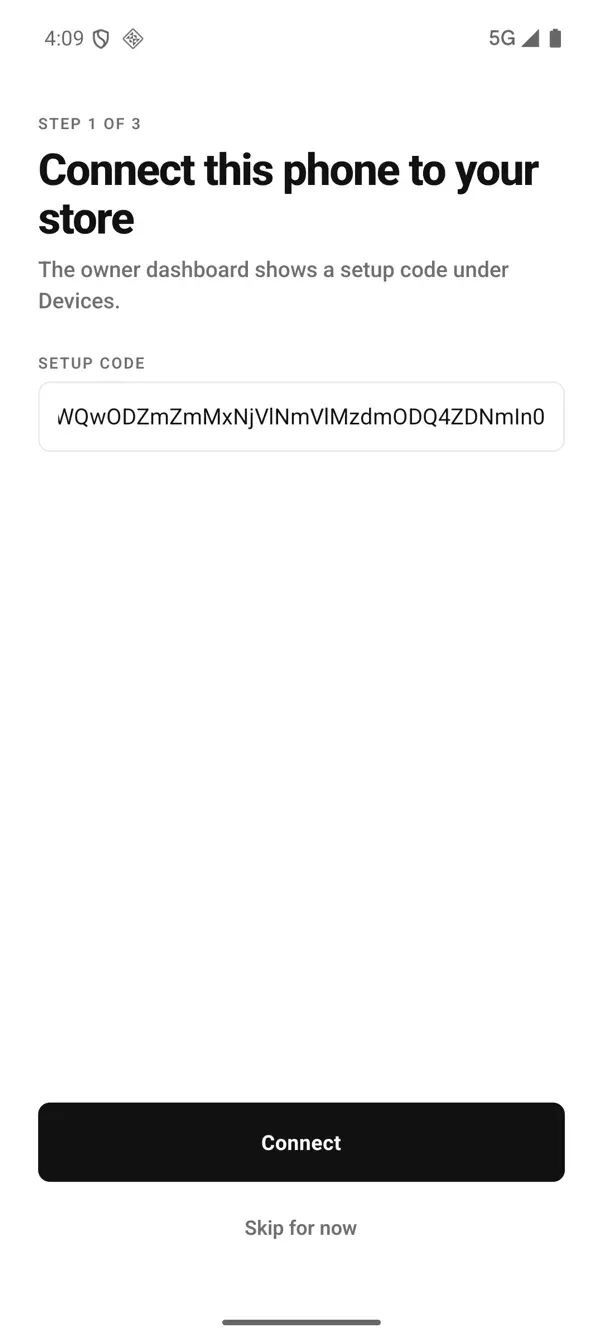
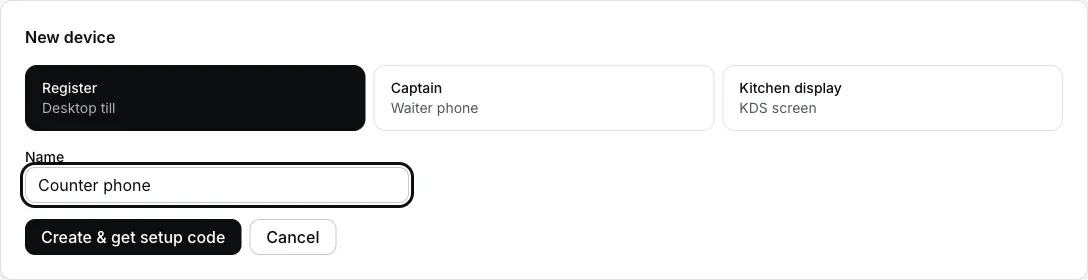
Open the app, choose Run the counter and sign in with the owner email. This gives the phone its invoice series. If the owner is not there, create a Desktop App or counter phone setup code on Dashboard → Devices, then scan its QR or paste the code.
Add your printer
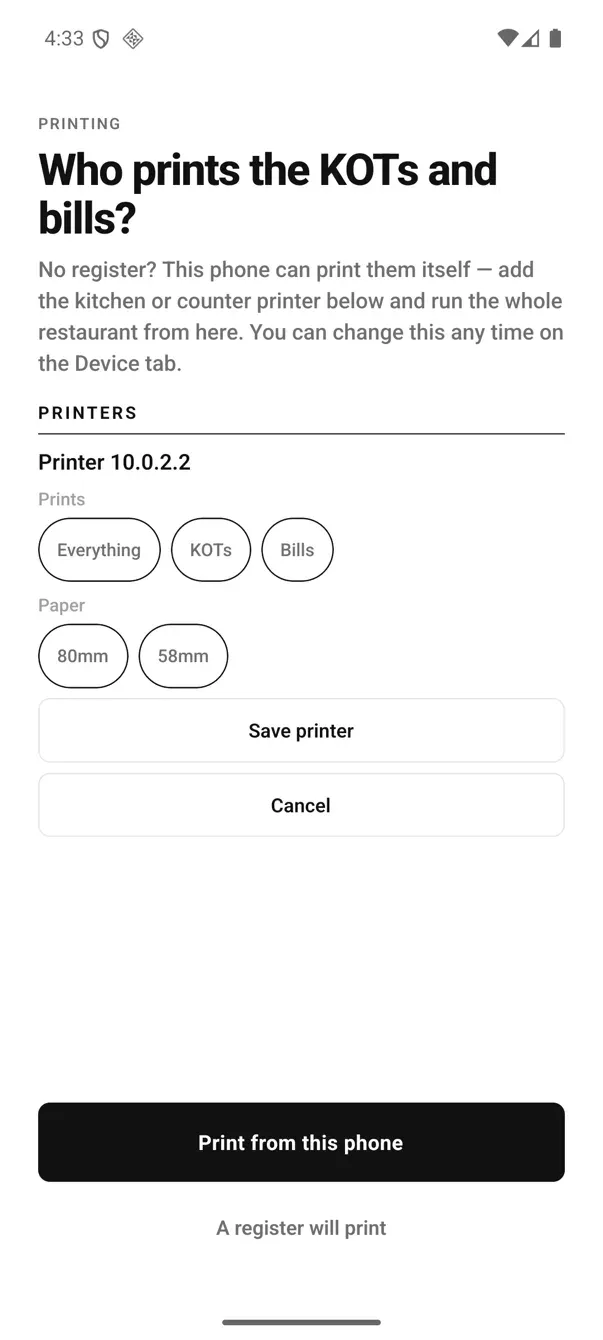
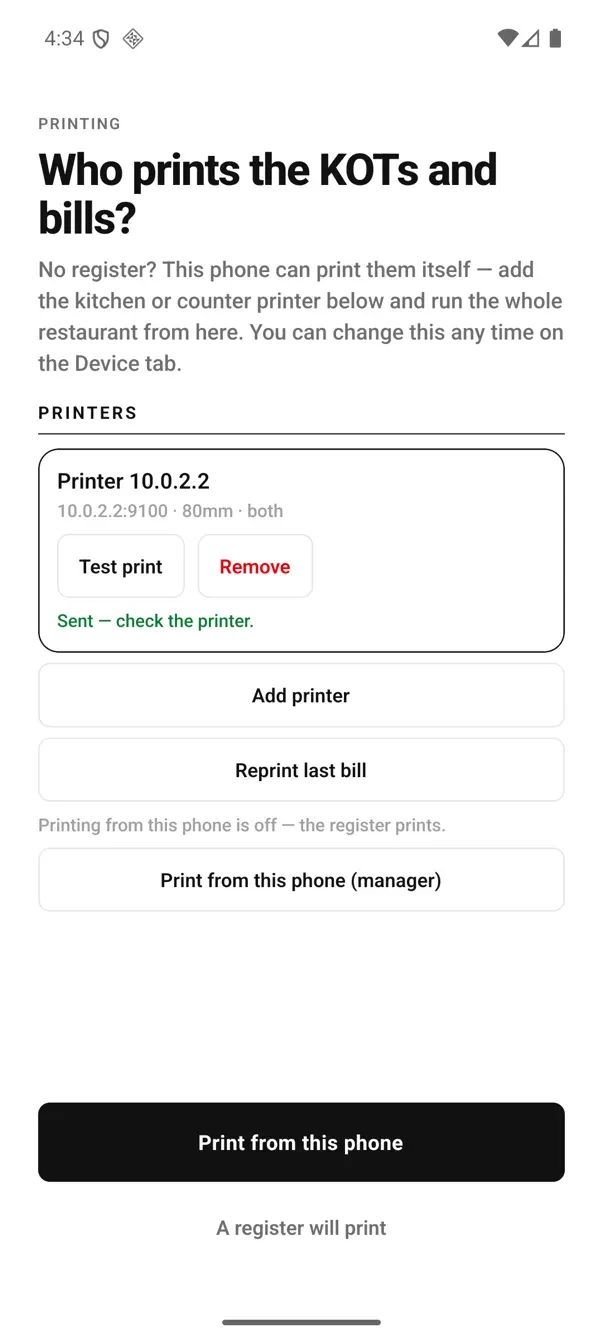
Pair the Bluetooth printer in Android settings, or enter the Wi-Fi printer's IP and port. Choose KOTs, Bills or Everything, then run Test print. Full pairing walkthrough →
Send a test order
Create one order with the sample menu. Tap Send KOT, check the delivery status and confirm the actual slip in the kitchen. You can import a menu PDF or photo from the dashboard afterward.
The whole setup, signup to the first takeaway bill, step by step →
The phone remains your normal phone. WhatsApp and calls still work. EasyKOT asks for Nearby devices when you use a Bluetooth printer, and for Camera only when you scan a setup QR.
Printer on, cash shift open, day closed.
- Turn this phone into the printer. During first-run Run the counter setup, owner sign-in needs no PIN. Later, open Print from this phone on the Device tab and follow the prompts. Once active, it reads “This phone is the printer — KOTs and bills print here.” and an Android notification keeps the queue running in the background.
- Turning it off takes one tap. Stop printing from this phone hands printing back before the phone leaves the restaurant.
- The cash box is on the same screen. Enter opening cash as Float. Record cash taken out as a Paid-out with a reason. At close, enter the actual count; the difference from Expected cash is the Variance. UPI is counted separately.
- Reprint last bill prints the previous receipt again with a DUPLICATE mark.
- Today's bills in one tab. The Today tab lists the day's orders with what was collected and the Cash / UPI split. Open any paid bill and tap Reprint bill for a copy marked DUPLICATE. Earlier days are in the dashboard's reports.
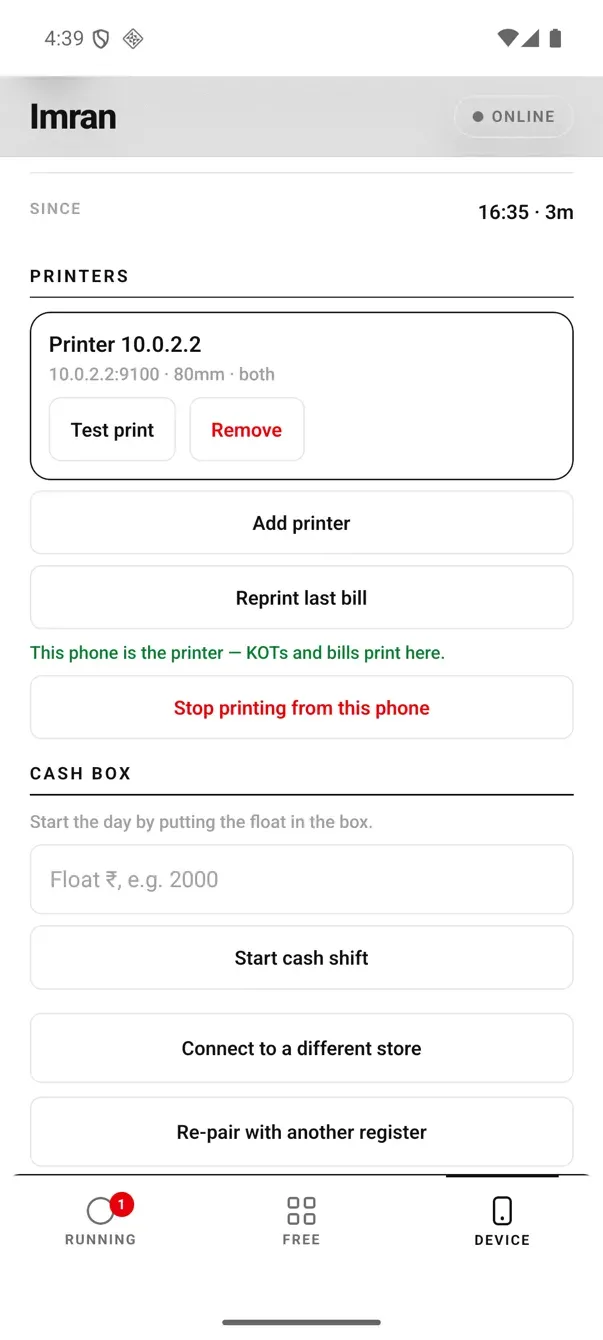
Device tab: printing is active and the cash box is waiting for its Float.
The phone has a kitchen screen; desktop has more controls.
The phone's Kitchen screen shows open tickets, the Done action and a Prep list. Station filters and the All day view are on the desktop KDS. Add a laptop later on the same account and plan.
- A basic Kitchen screen on the phone. A chef can see open tickets, tap Done, and read a Prep list of how many plates of each dish are still to cook. The desktop kitchen display adds category station filters and the All day view; neither is on the phone.
- No automatic cash-drawer kick. The phone tracks the cash but does not open a drawer through the printer port as the Desktop App can.
- Bluetooth printing is on Android. The iPhone build is not yet available in the App Store, so plan the phone setup on Android 8 or newer.
- Keep one active printing phone for the store. To move printing, first use Stop printing from this phone on the old phone, then follow the Print from this phone prompts on the target. Saving the same Wi-Fi printer IP on two phones does not coordinate their jobs and can produce duplicate slips.
- Keep the printing phone on a charger. Bluetooth and background printing use battery throughout service.
- Reports live in the owner dashboard. The app's Today tab covers the current day only. Open sales and items-sold reports for any day in a browser on the same phone or a laptop.
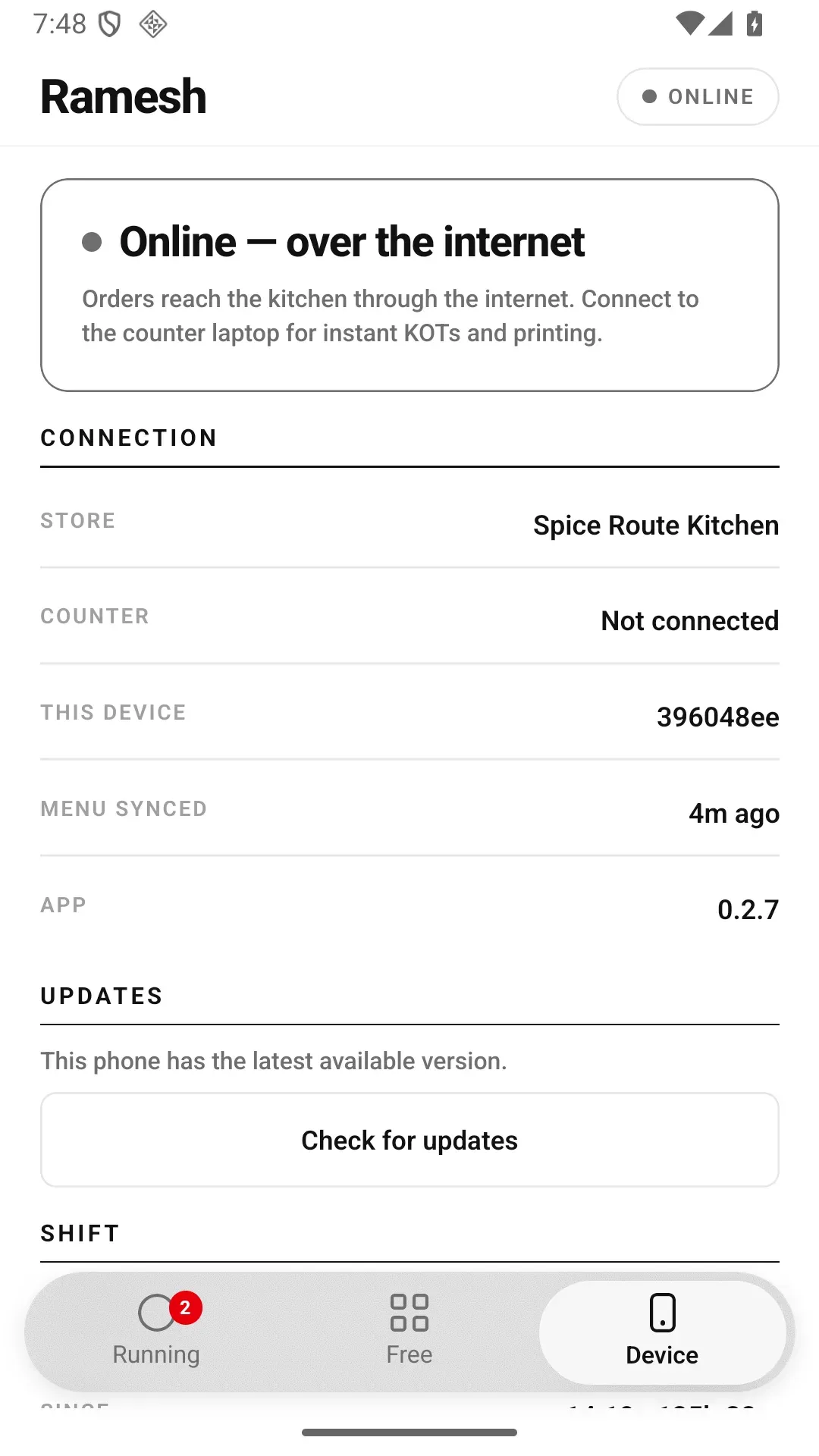
The Device tab shows the restaurant, order connection and app-update status.
Bluetooth or Wi-Fi — both work fine.
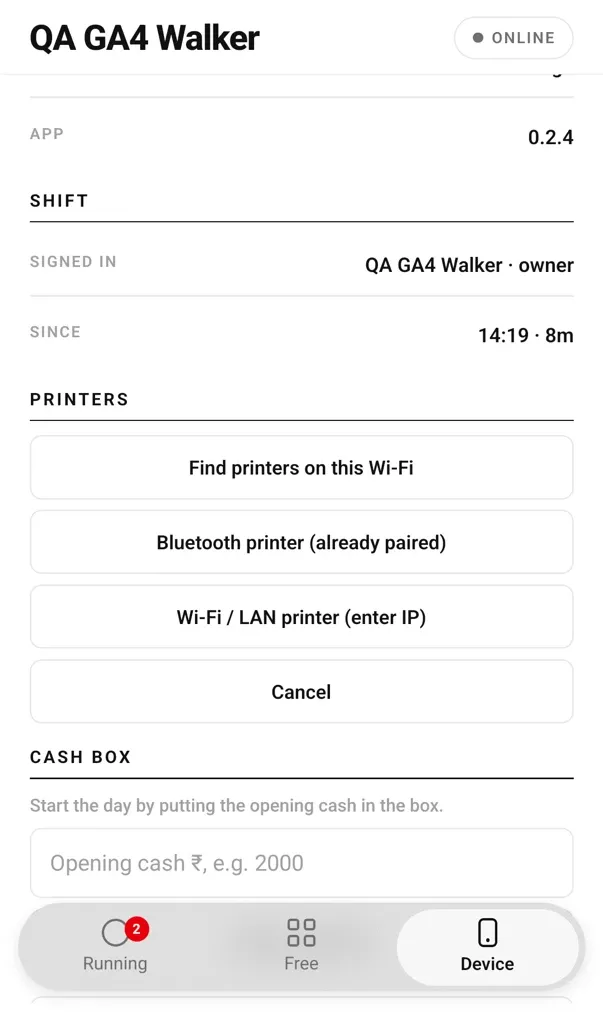
Add printer: find one on Wi-Fi, choose a paired Bluetooth printer or enter an IP.
- Bluetooth: pair the printer first in Android settings, then choose Bluetooth printer (already paired) in EasyKOT.
- Wi-Fi / LAN: enter the printer address (IP) and the port shown in its manual or settings. Port 9100 is common for network printers, but confirm it for your model.
- 58 mm or 80 mm, ESC/POS: connection, paper width and model behaviour also matter. After saving, run Test print and check the slip's text, width and cut.
Straight answers.
Which printers work with the phone?
Does it work when the internet goes?
Does the Android phone have a kitchen screen?
What GST details can the phone print?
My waiters have iPhones — is that a problem?
Can I add a Desktop App later?
What does it cost?
Go deeper: the captain app your waiters use, the Desktop App, or the setup steps from signup to first bill.
Run it 3 months, then pay for it.
Three months free, full product, no card. Made in India, for the counter: built inside a running restaurant.