Menu haath se banao — dish, price, portion, sab dashboard se.
You do not need a menu file to start. Type a category, type a dish and its price, and it is on the EasyKOT Desktop App. Then give it the things a busy counter needs: a veg mark, the GST slab, Quarter, Half and Full prices, the paid extras. The same screens are how you change a price next month or mark a dish finished tonight.
Have a printed menu or a PDF? Let the AI import type it, then come back here for the finishing.
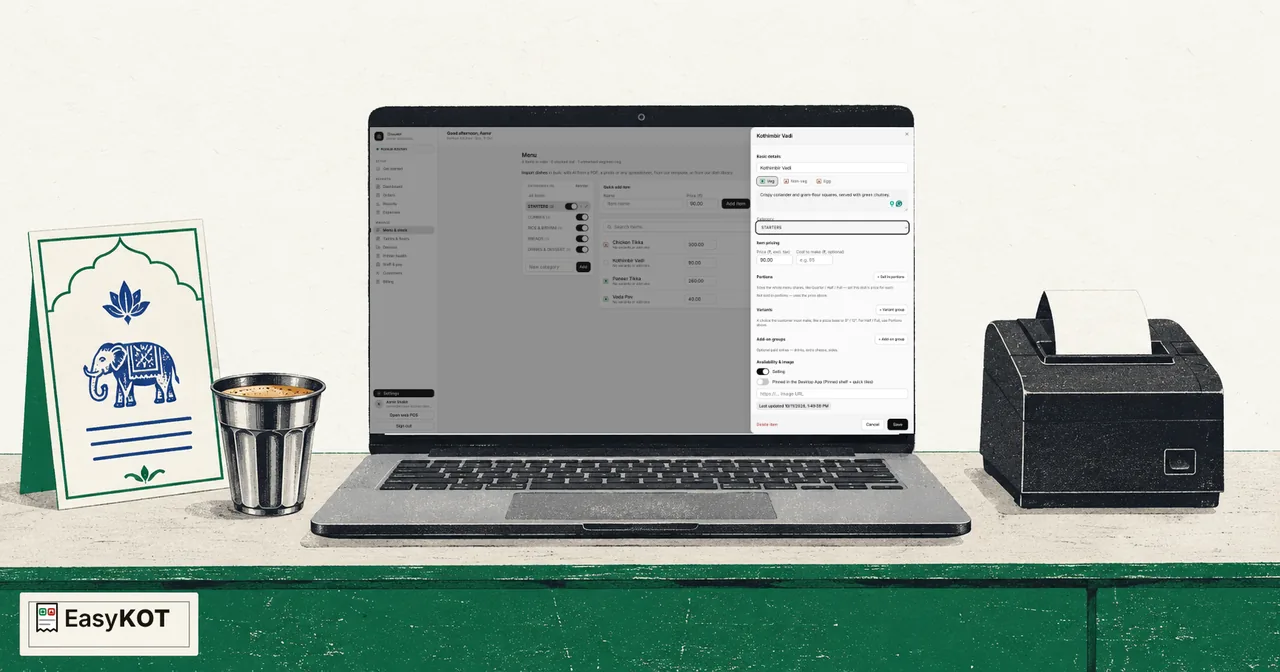
Pehli category se bikti hui dish tak — chhe steps.
Make your categories
Open Menu in the dashboard. In the Categories panel, type a name into New category and press Add. To put a category inside another (Veg Starters under Starters), press the + on the parent's row; one level deep is the limit. The switch on a row takes the whole category off every Desktop App and puts it back. To rename a category, press the pencil on its row, fix the name and press Save; each Desktop App shows the new name as soon as it is online. Delete sits beside Save and deletes the category straight away, with no confirm: its dishes are not deleted, they move to Uncategorised and keep selling. To change the order the Desktop App shows them in, press Reorder at the top of the panel, move rows with the arrows (a sub-category moves among its own siblings), and press Done.
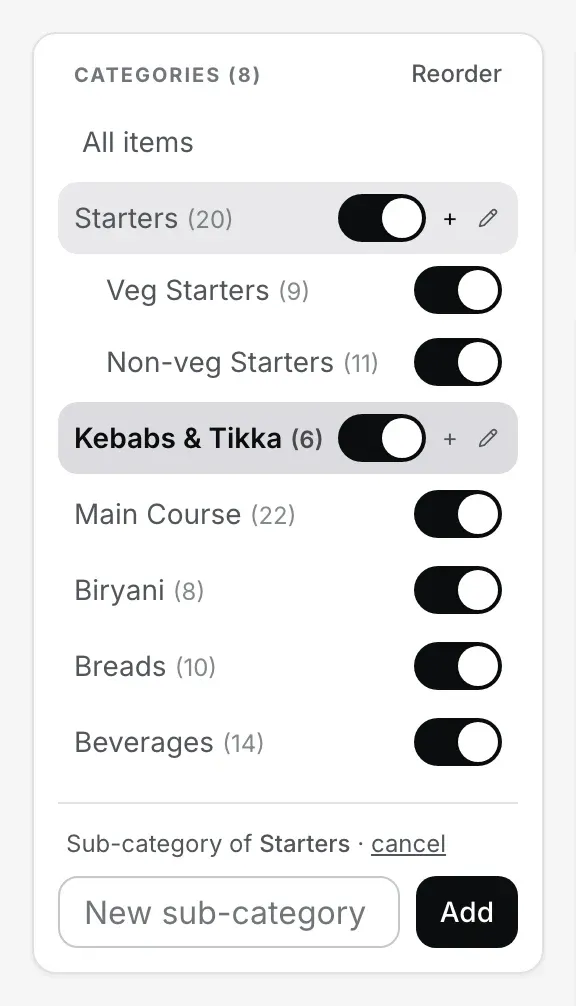
Step 1. Categories, sub-categories one level deep, and a switch per category.
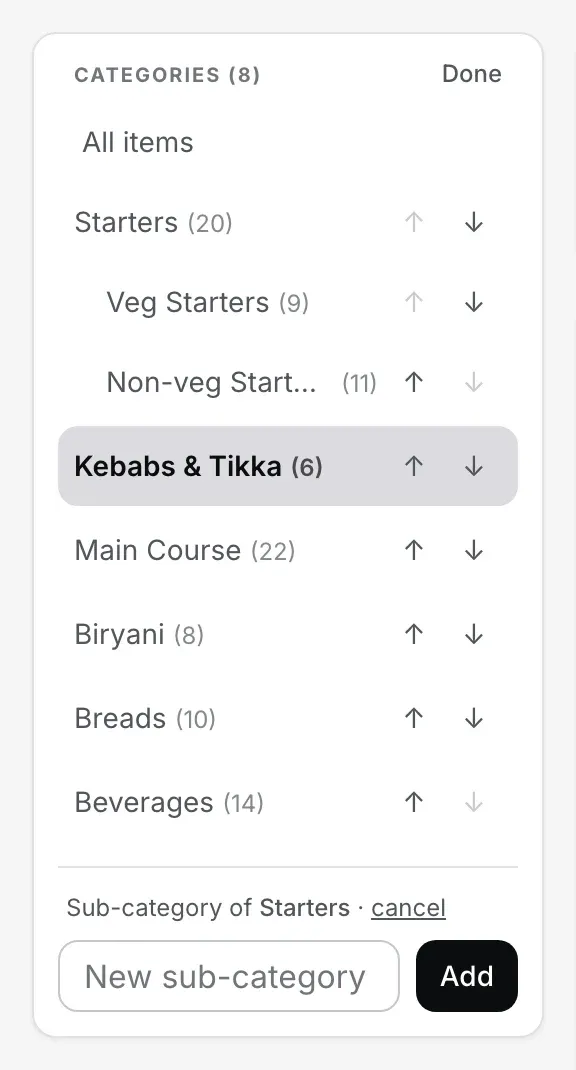
Reorder: arrows instead of switches, so nothing is hidden or deleted by a stray tap.
Quick add a dish
Pick the category in the left panel, then use the Quick add item card: a Name, a Price (₹), and Add item. The dish is on the menu at once, on your store's GST rate, and the Desktop App picks it up within moments.

Step 2. A name and a price is a dish.
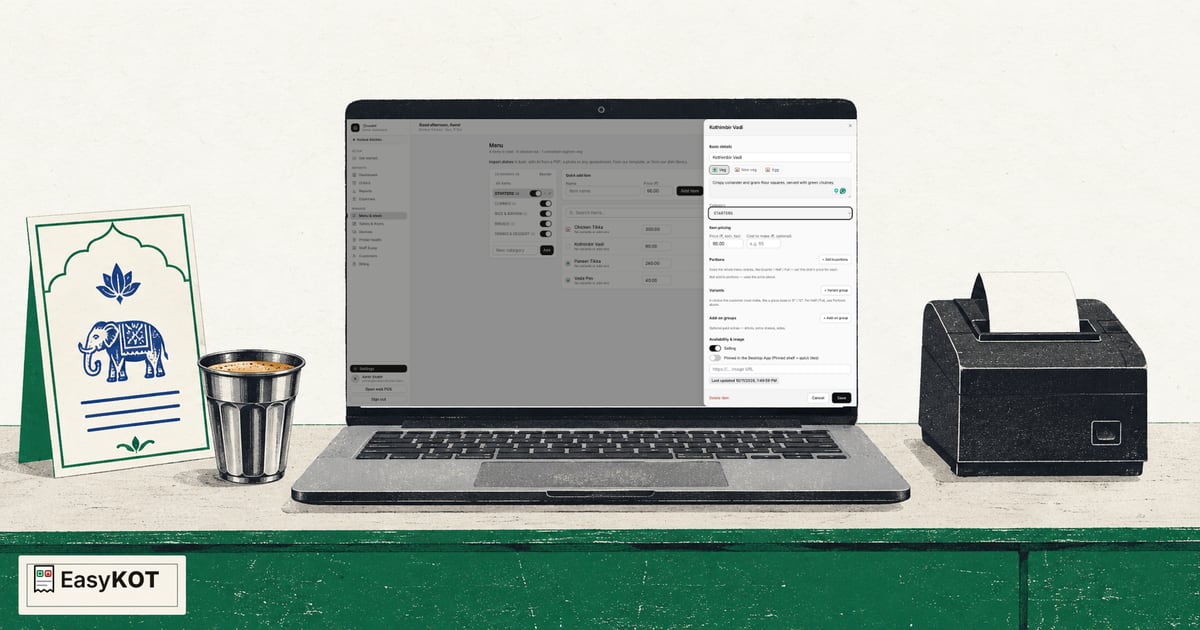
Video transcript padhe
Yeh recorded narration hai. Screen labels aur steps published video ke time ke hain.
Menu & stock kholo Khud se dish add karo STARTERS category select karo Kothimbir Vadi naam dalo Price nabbe rupaye rakho Add item select karo Dish menu list mein hai Name aur price save hain Ab Edit kholo Dish ko Veg mark karo STARTERS category confirm karo Description mein text likho Green chutney tak complete karo STARTERS, Veg aur ₹90 confirm Save select karke finish karo Kothimbir Vadi ready hai
Finish it in Edit
Press Edit on the dish. Set Veg, Non-veg or Egg, move it to another category, change the price (it is the price before tax), note what it costs you to make, and write a line for the description. If your store charges GST the slab picker sits beside the price, with the final price including tax worked out under it. Nothing here is saved until you press Save; Cancel throws the changes away.
Sell it in portions: Quarter, Half, Full, or any size
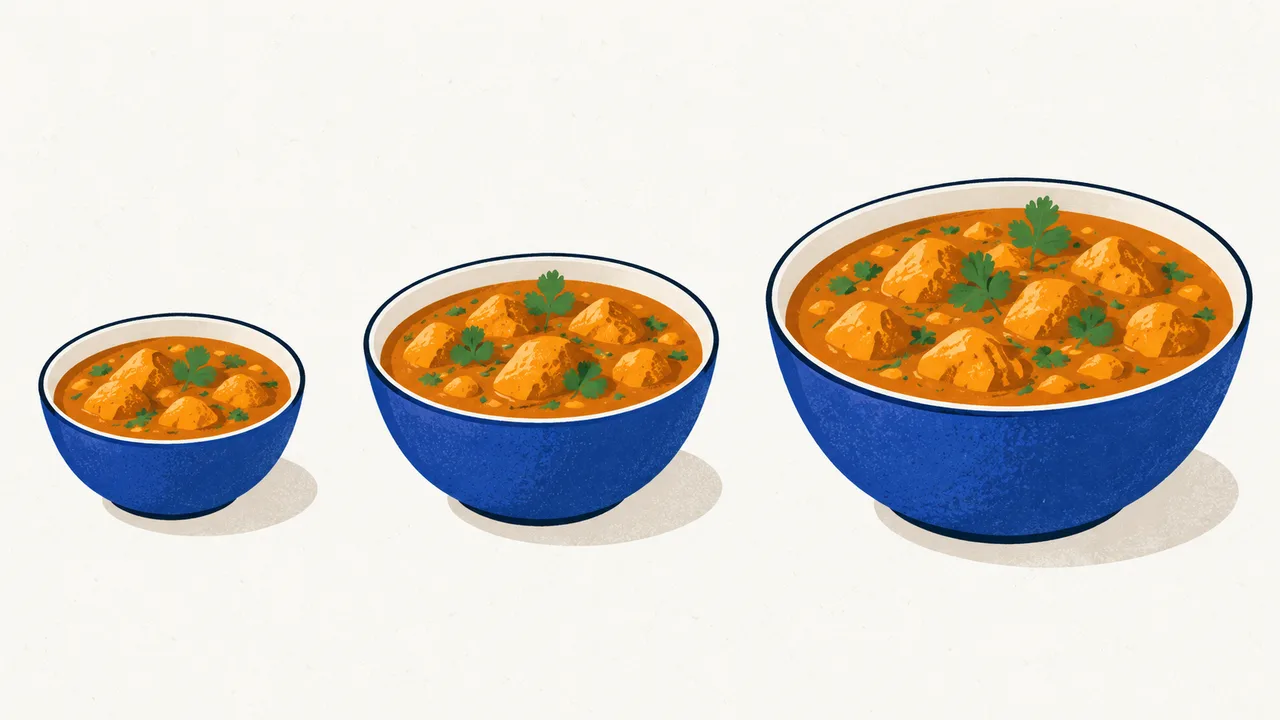
In the same editor, under Portions, press + Sell in portions. Half and Full appear at the dish's price. Type each price. Need a Quarter, a Family pack or a 1 kg? Type it into the box and press + Add size; there is no limit on how many. Switch off any size this dish is not sold in, then press Save portions. The arrows on a size move it up or down; that order is shared, so Quarter moved above Half moves on every dish at once. The sizes are one list for the whole menu, but a new size appears only on the dishes you price it on.
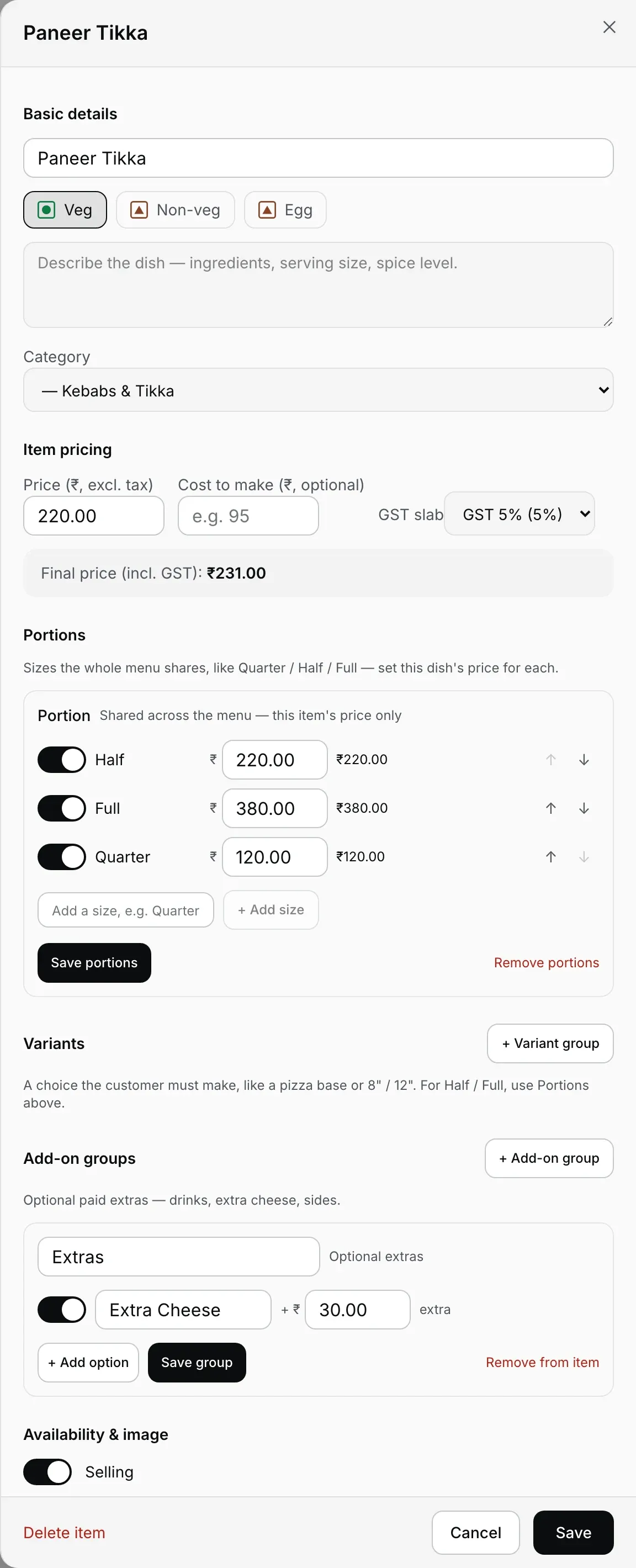
Steps 3 to 5 happen on this one screen: details, portions, extras.
Video transcript padhe
Yeh recorded narration hai. Screen labels aur steps published video ke time ke hain.
Chicken Biryani kholo Portions tak scroll karo Half ₹180 · Full ₹320 Family naam dalo Add size select karo Family price ₹580 rakho Half, Full, Family order Ek size stop karo Family wapas on karo Save portions select karo Teen prices check karo Sizes poore menu mein Har portion dish review Butter Chicken: Family off Save portions select karo Baaki dishes repeat karo Half, Full unchanged rakho
Add extras and choices
Press + Add-on group for paid extras the guest may add (Extra Cheese at ₹30, a Coke, a side), or + Variant group for a choice the guest must make (a pizza base, an 8" or 12" crust). Name the group, add its options with their price, and press Save group. Half and Full do not go here; they belong in Portions.
Change a price, stock out, pin
Day to day you rarely need the editor. On the dish list, a dish without portions has its price right on the row: change it and click away, and it is saved. The switch on the row stocks a dish out (greyed on every Desktop App, not hidden) and back in; the pin puts it on the Desktop App's pinned shelf. The Desktop App picks it all up on its own, or press the refresh icon beside Online on the Desktop App to pull it now. During service the Desktop App's own Settings → Menu availability does the same without the dashboard, even offline.
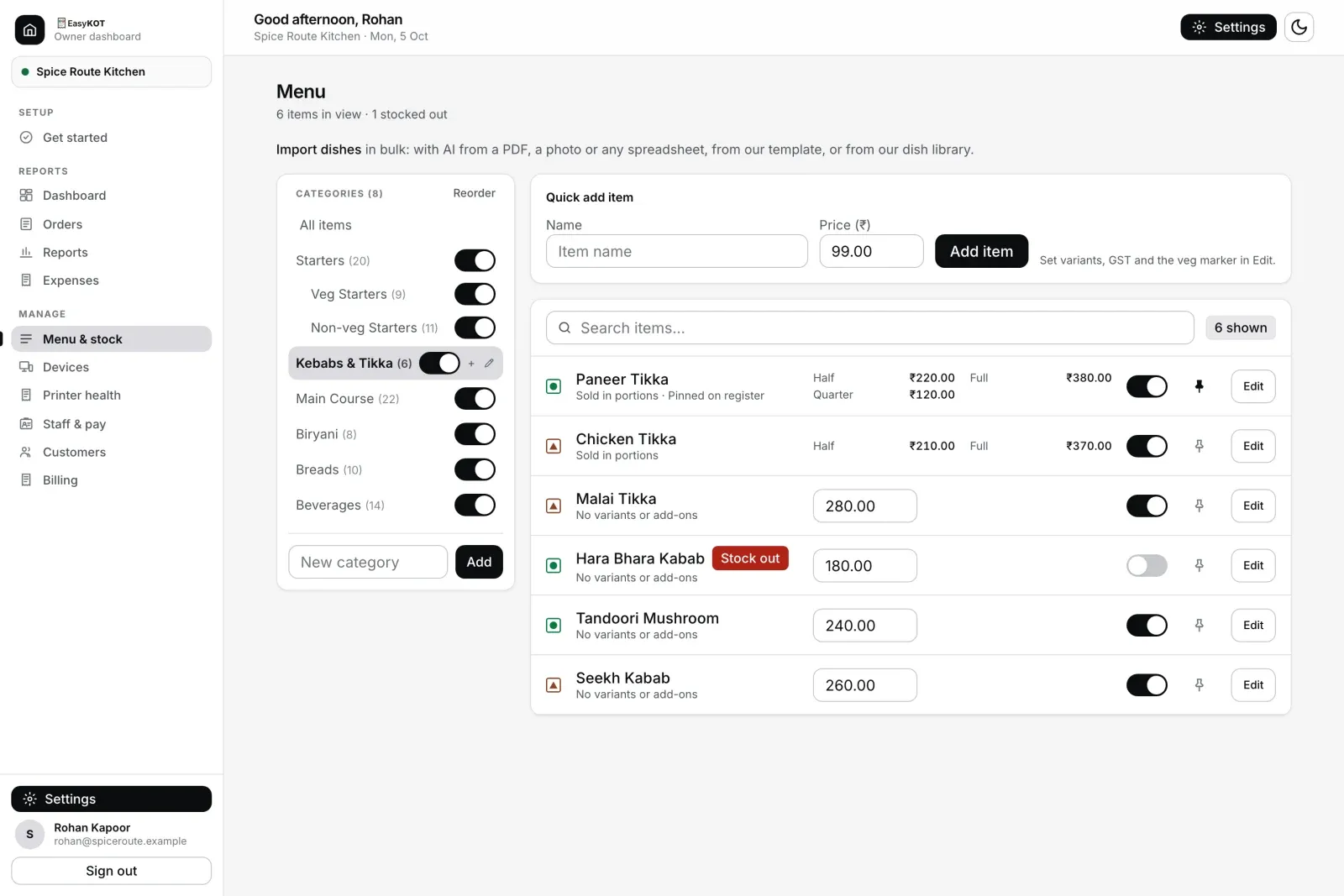
Step 6. Prices, stock switches and pins, right on the list.
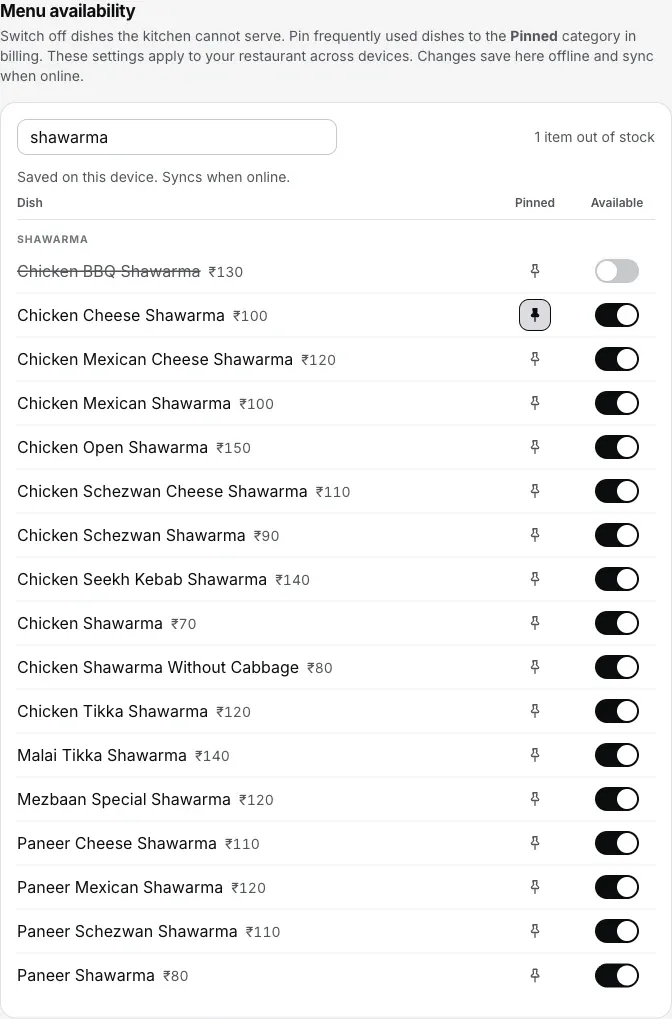
Or from the Desktop App itself, offline included.
Abhi kya nahi hota.
- Move a dish up or down.Categories reorder with Reorder; dishes cannot be moved yet.
- Rename or remove a portion size. A size you no longer want can be switched off on each dish.
- Upload a dish photo. The editor takes a link to an image you have already put online, not a file from your phone.
- Change many prices at once. Prices change dish by dish. For a whole-menu price rise, the quicker road is a sheet in our template on Use our template: dishes are matched by name and category, so the import updates them instead of adding copies.
Straight answers.
Menu file nahi hai, kya haath se bana sakte hain?
How many portion sizes can a dish have?
Half and Full: Portions or a variant group?
I changed a price. When does the Desktop App charge it?
What happens to old bills if I delete a dish?
With the menu in.
Your first GST bill
Punch a portioned dish, fire the KOT, and print the tax invoice.
Make the first bill →Menu setup & AI import
A long menu from photos or a PDF, checked in a grid before anything saves.
Import the menu →Menu management, in full
The feature tour of the dashboard side, stock-outs and pins included.
See menu management →Every guide in this cluster is listed on the guides hub.
3 mahine try kare, phir plan chune.
Restaurant ka kaam hum samajhte hain, kyunki shuruaat bhi wahin se hui. 3 mahine free try kare, bina card details. Hamari kahani padhe.